
Social Media – Meta Setup Guide
Before doing any of this, make sure that the account you are running is set up as a business acount.
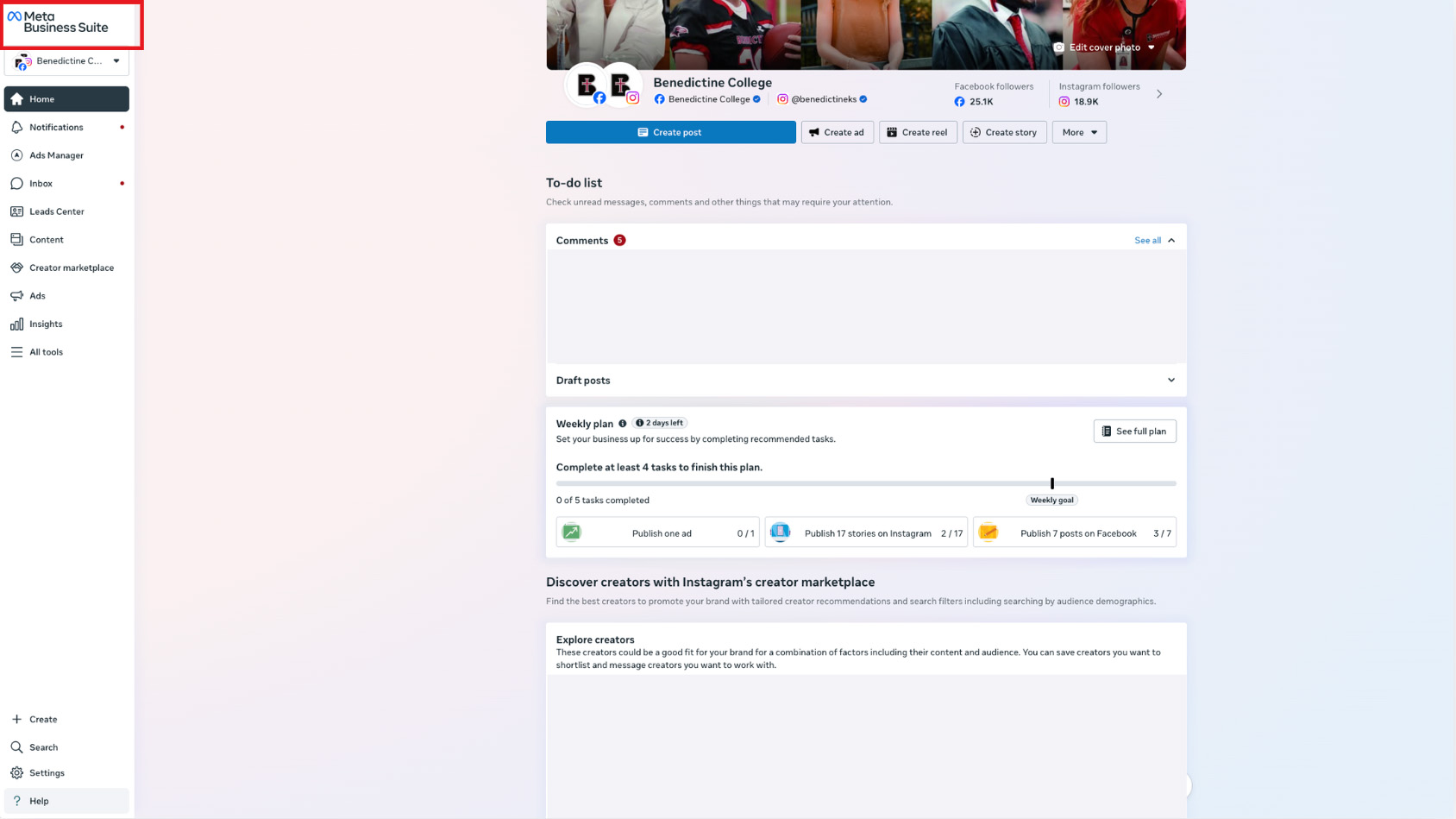
1. Select the account in the upper left corner.
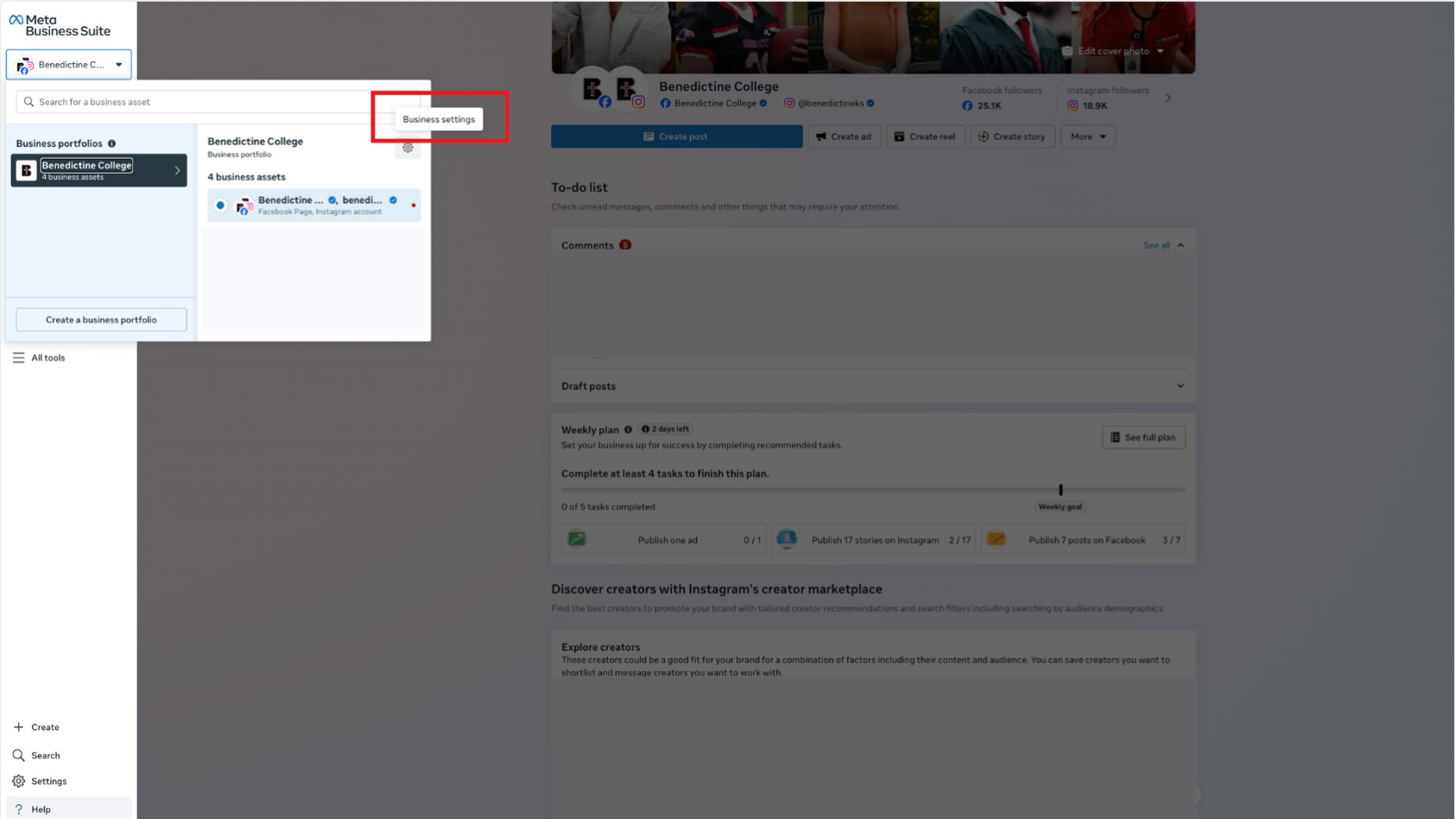
2. Click settings.
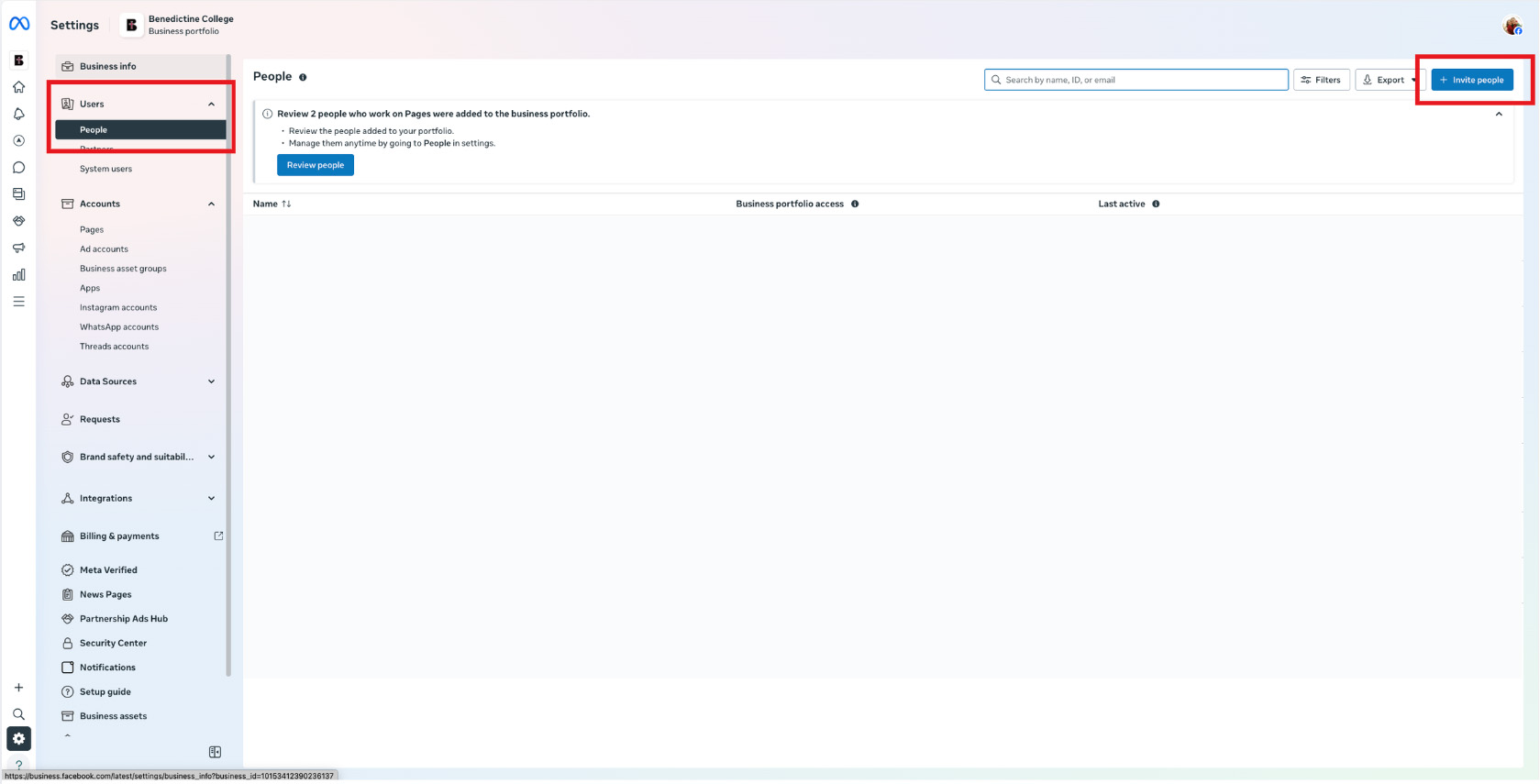
3. Select “People,” and “Invite People.”
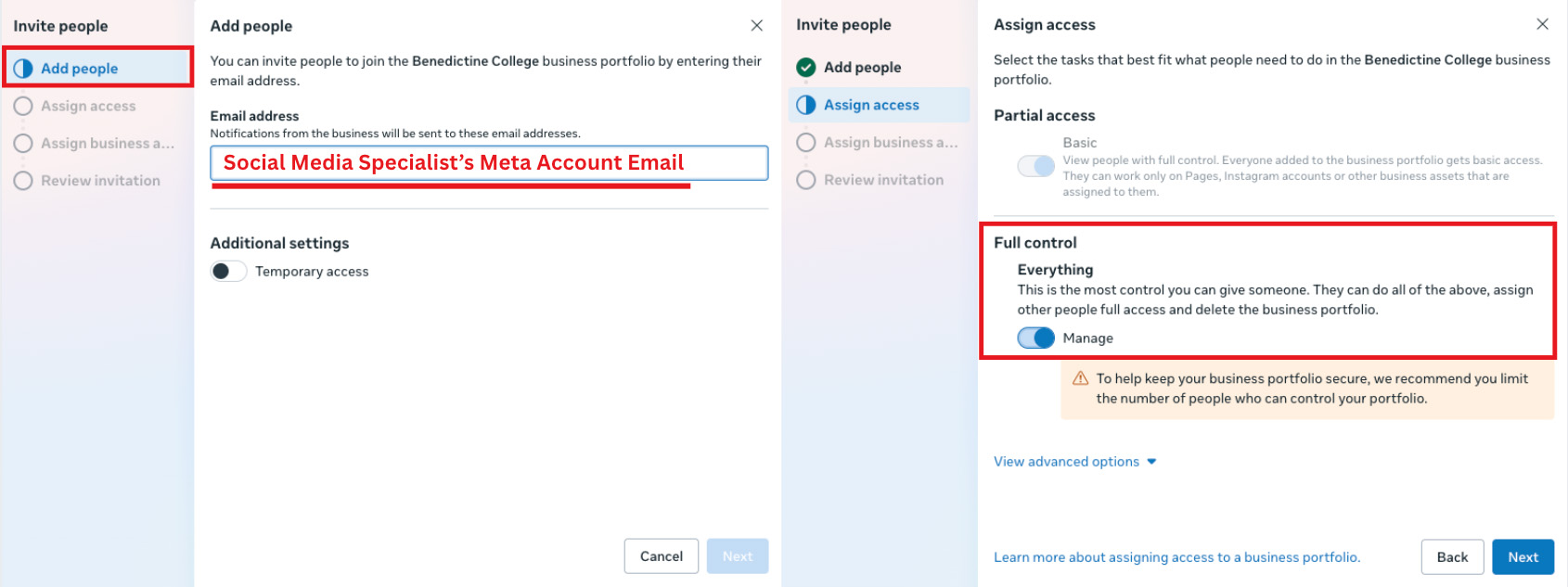
4. Enter the Social Media Specialist’s Meta Account Email (not their Benedictine email). Grant the Social Media Specialist full control of the account.
5. Select the Instagram and Facebook that you are running for Benedictine.
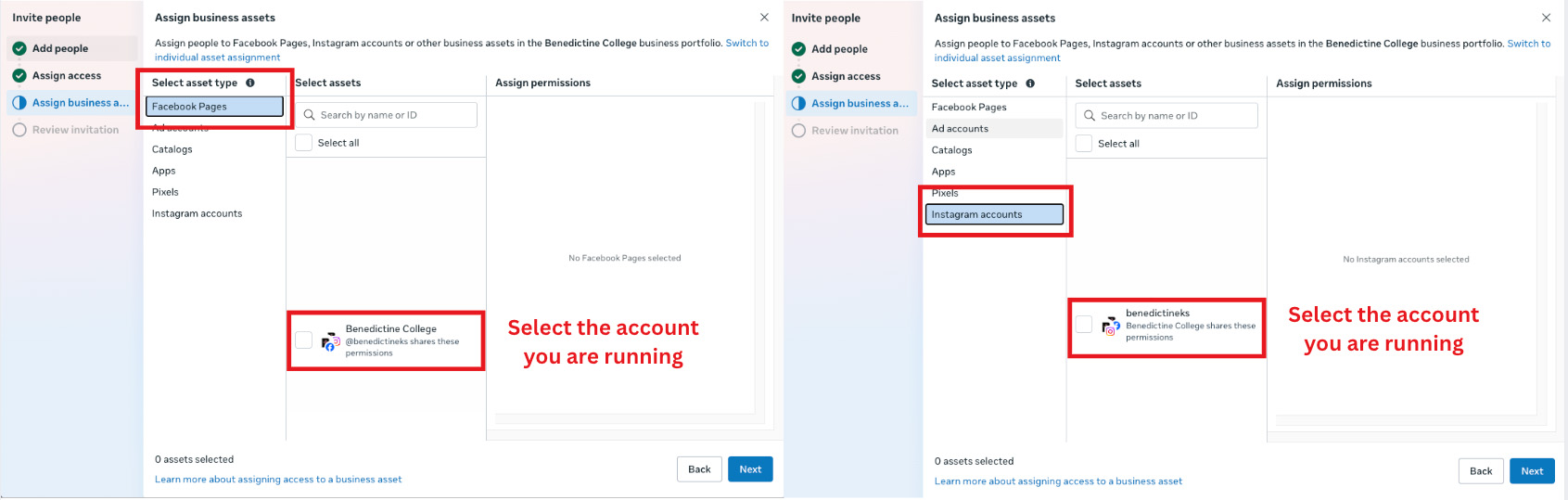
6. You’re done! Please email socialmedia@benedictine.edu with any questions.